
Notification System
The Notification System is used to display visual alerts to players. These commands are executed via the ProcessCommand(string command) method on either the Server or Player object.
Command Syntax
SendNotification <Notification> <User ID> <Message>Parameters
| Parameter | Type | Description |
|---|---|---|
<Notification> | Style type: 1, 2, 4, or 5. | |
<User ID> | The internal Database ID of the user. Use -1 to notify everyone. | |
<Message> | The text message to display. |
Technical Implementation
To send a notification, call the ProcessCommand method. Note that <User ID> refers to the database ID, not the SteamID.
Example for a specific player (DB ID: 123):
player.ProcessCommand("SendNotification 1 123 \"Hello Player!\"");Example for the whole server:
server.ProcessCommand("SendNotification 1 -1 \"Server-wide announcement\"");Notification Types
1. Standard Notification
Displays a basic notification in the corner of the screen.
SendNotification 1 -1 "test message"
2. Center Message
Displays a prominent message in the center of the player's screen.
SendNotification 2 123 "test message"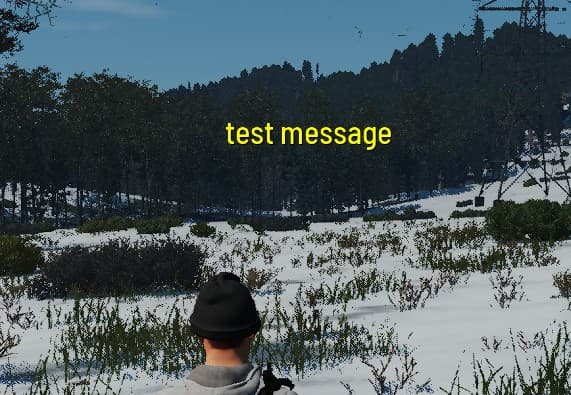
4. HUD Message
Displays the message directly in the player's HUD (Heads-Up Display).
SendNotification 4 123 "test message"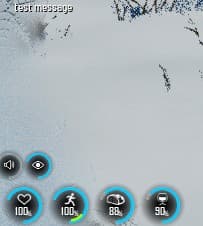
5. Kill Log Message
Sends the notification to the server's kill log feed.
SendNotification 5 -1 "test message"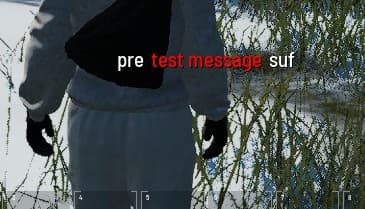
INFO
Ensure you use the correct Database ID for the <User ID> parameter. If you need to broadcast a message to all players, always use -1.